
Header and Side Menu
The Credentia platform provides the following standard options, accessible through the header and side menu in the employer console.
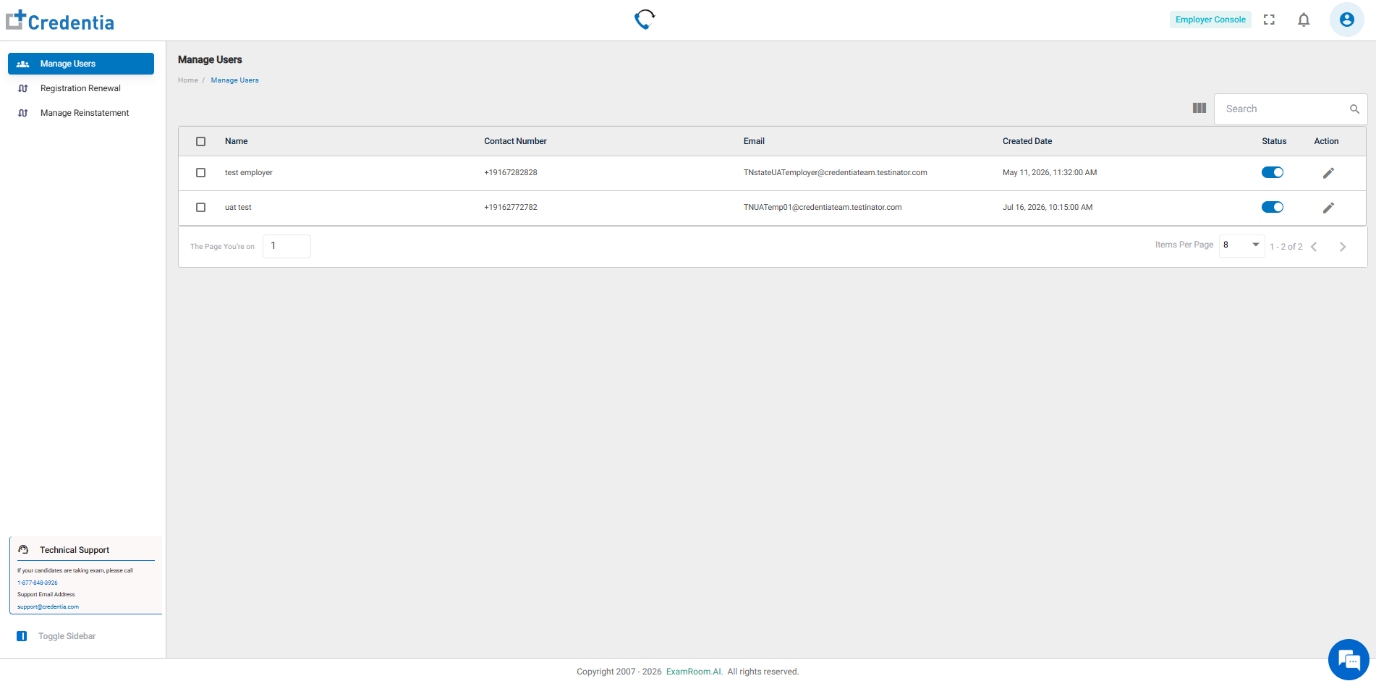
Click the icons in the toolbar at the top of the screen to explore the options available:
| Icon | Type | Description |
 | Need Help? | Click Self Help Guides to view all the help guides. |
 | Full Screen | View the console in full-screen mode. |
 | Notifications | Provides alerts, reminders, and updates. |
 | Profile | Enable efficient account management, with options to edit personal information and securely log out. |
To navigate through the console, click the widgets on the left side menu to perform different tasks.
- Manage Users – Manage internal employer console users.
- Registration Renewal - Process registration renewals and ensure timely updates.
- Manage Reinstatement - Oversee reinstatement requests and related processes.